JOINING AN OKBRIDGE TOURNAMENT WITH OKWIN
STEP 1: Arrange for a partner
with whom you will play.
You'll need to arrange your own
partnership; the tournament director will not find a partner for you if you
don't have one already, so you can meet other players in need of a partner at
the tournament partnership table. This table, named "TOURPARD", is found in
the lobby with all the other tables. Go to the TOURPARD table if you need
someone to play with. At that table, beginning approximately 10-15 minutes
before the scheduled start of the tournament, you'll find other players
present who need a partner, just like you do. By chatting with the players at
this table, hopefully you will be able to meet someone there who might be a
good match for you and arrange to play together. You and your partner should
decide together what tournament you plan to join. Often there may be more than
one tournament event being held at the same time (an IMP event and an MP
event), so it's important that both of you know which one you're going to be
joining. It's also important to give yourself enough time to form a
partnership and register your pair in the tournament before the scheduled
start time. The tournament director will allow late pairs to join only up to
the start of the 2nd round, but after that it's not possible to join late.
STEP 2: Go to the table where the
tournament is being held.
After you have arranged a partnership,
and you have decided which tournament you will be playing, you'll need to go
to the table where that tournament is taking place. This will be a table named
either "MINI-IMP" or "MINI-MP" (depending on whether you will be playing in
the IMP tournament or the MP tournament). This tournament table will be found
from the lobby in the list of tables along with all the other non-tournament
tables. If you are not looking at the list of tables (for instance, if you are
at the TOURPARD table where you met your partner), you can view that list by
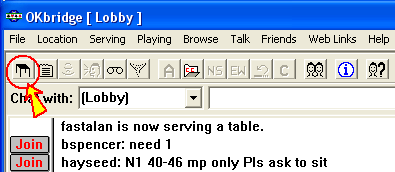
clicking the picture of a table from top left part of the OKwin window:
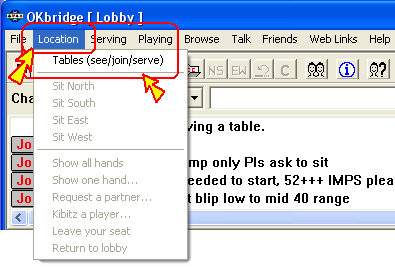
or by clicking the "Location" menu (at
the top left corner of the screen) and selecting "Tables (see/join/serve)":
or else by typing the following command
into the chat message line: /TABLES
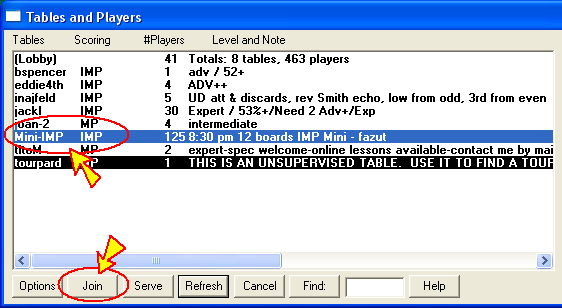
To join the MINI-IMP or MINI-MP table,
find it in the list of tables in the "Tables and Players" section, and
double-click it with the left button on your mouse, or else click it once to
select it and click the [Join] button from the row of buttons below the list.
STEP 3: Register your partnership
at the tournament
When both you and your partner have
joined the tournament table (either "MINI-IMP" or "MINI-MP"), one of you
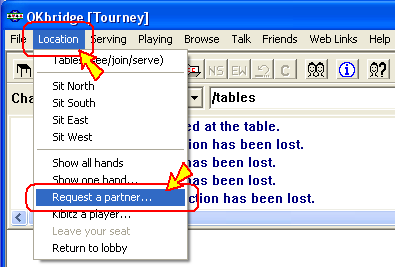
should issue a request to form a partnership with the other using the "Request
partner..." option from the Location menu:
or by typing this command in the chat
message line: /PARTNER
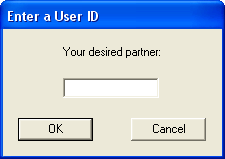
Then, type your partner's username when
prompted to issue a request to register the two of you as a pair for the
tournament event.
Your partner will see a prompt asking to
confirm that he or she wishes to be your partner, and after choosing "Yes",
you will see a confirmation that your partnership has been established. After
that, simply wait for the tournament to start and you will be taken to your
table automatically when the first round begins.